A profile that sounds like you.
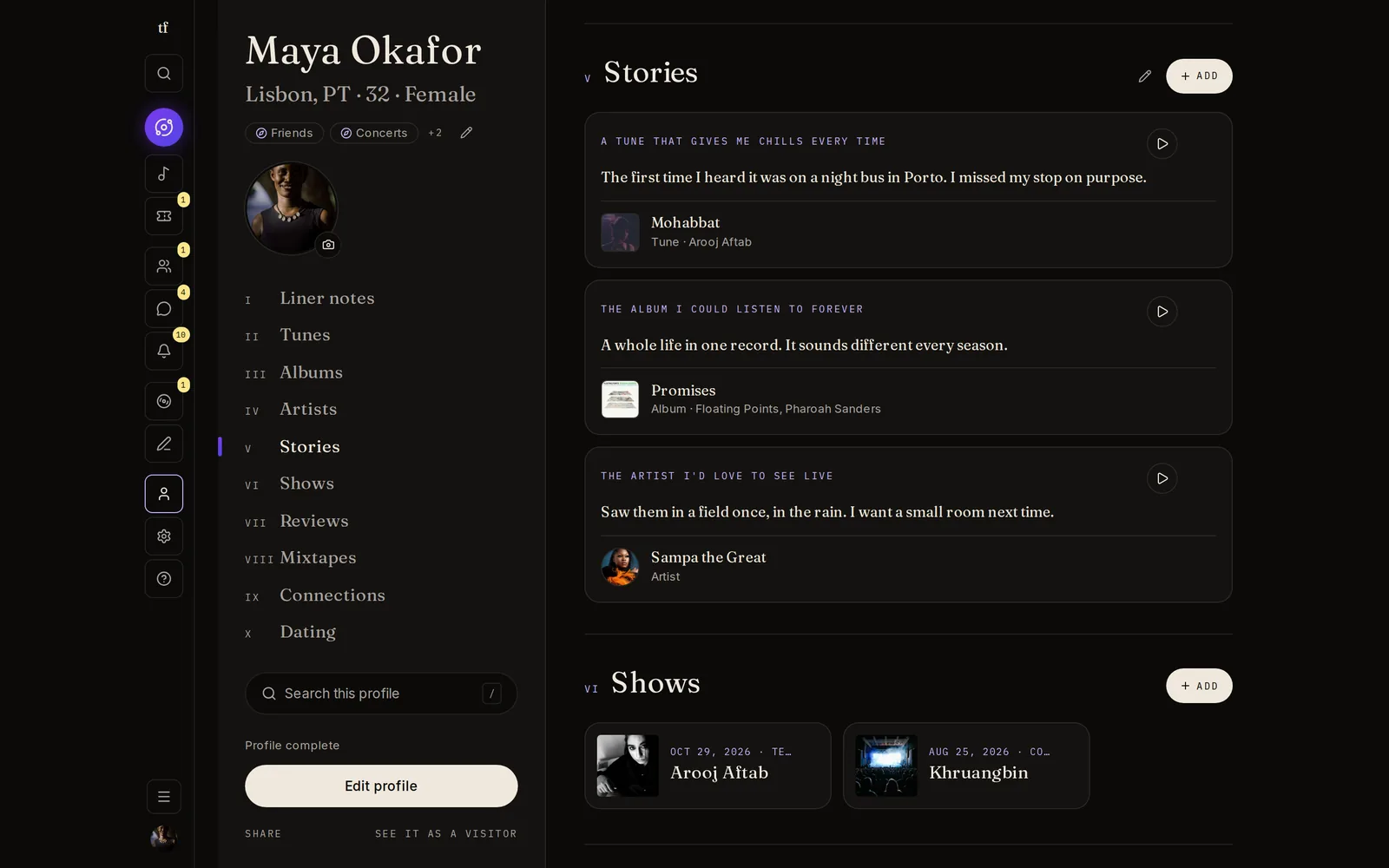
A TuneFirst profile leads with music, not selfies. It is your collection in chapters, Tunes you can play, the stories behind them, the shows you went to, and the things you made, with a privacy setting for each part.
Your music, in chapters
Visitors move through your profile like a record: a list of chapters on the side, one chapter at a time.
- 01
Tunes, albums, artists
Your collection as rows anyone can play inline. Your favourites first.
- 02
Stories
Answer a music prompt, pick a Tune, album or artist to go with it, and say why. Someone with a story about the same music meets you through it, and it counts in your match.
- 03
Shows, reviews, mixtapes
The nights you were there, the records you wrote about, the tapes you made.
- 04
Connections
Your people, if you choose to show them.
- 05
Photos and links
Photo albums with photos and videos, each with its own audience, and your links to Instagram, SoundCloud and the rest in one last chapter.
- 06
In your order
Drag your chapters into the order you like. Visitors see it that way, with what you share first.
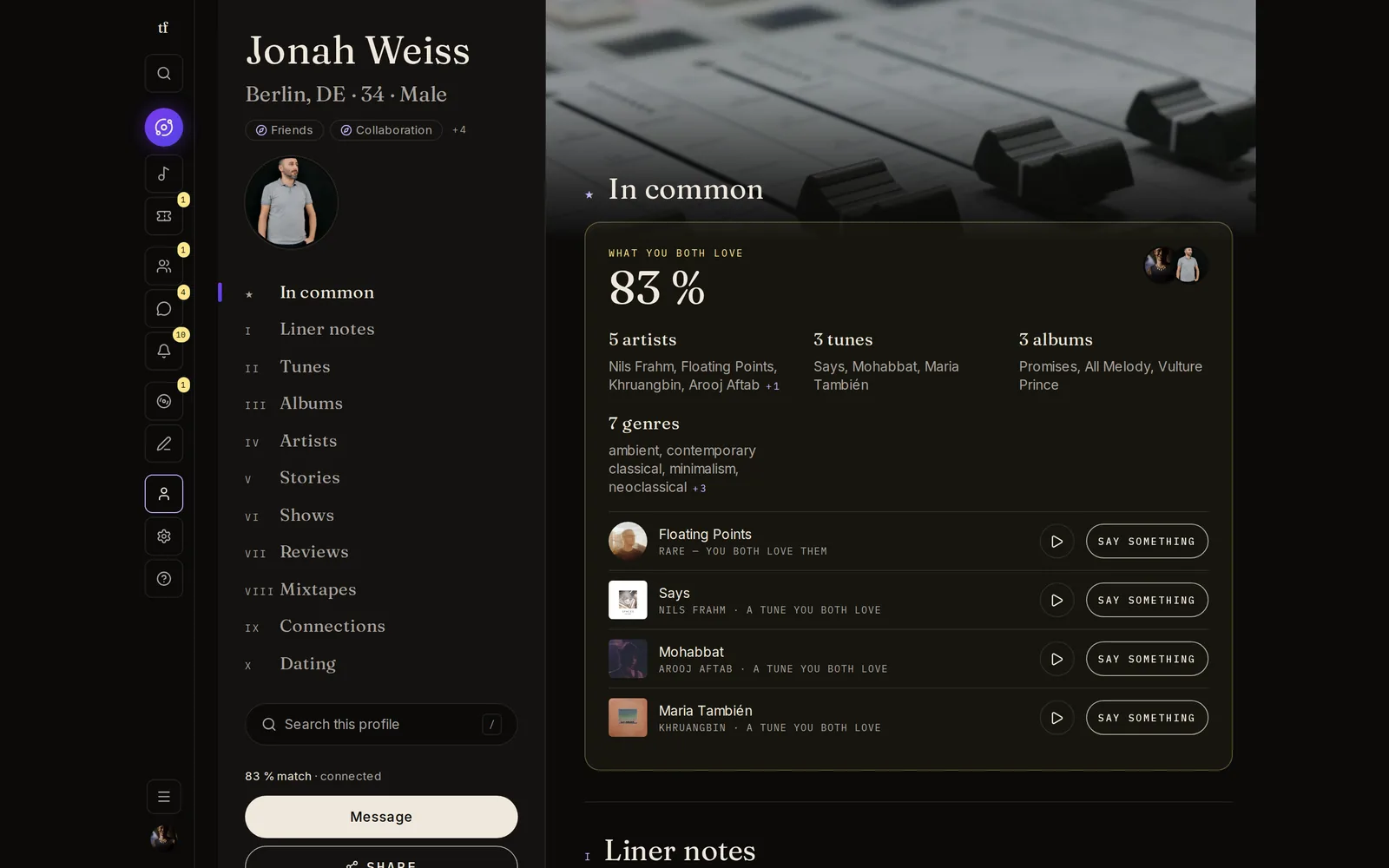
In common, first
When you visit someone, the first chapter is what you share.
- 01
Know what to say
Shared artists, albums and Tunes at the top, so the first note writes itself.
- 02
Add from anyone
See a record you do not have? Add it to your collection from their profile.
- 03
Search a profile
Long collection? Search inside the profile and jump straight to the row.
Share just enough
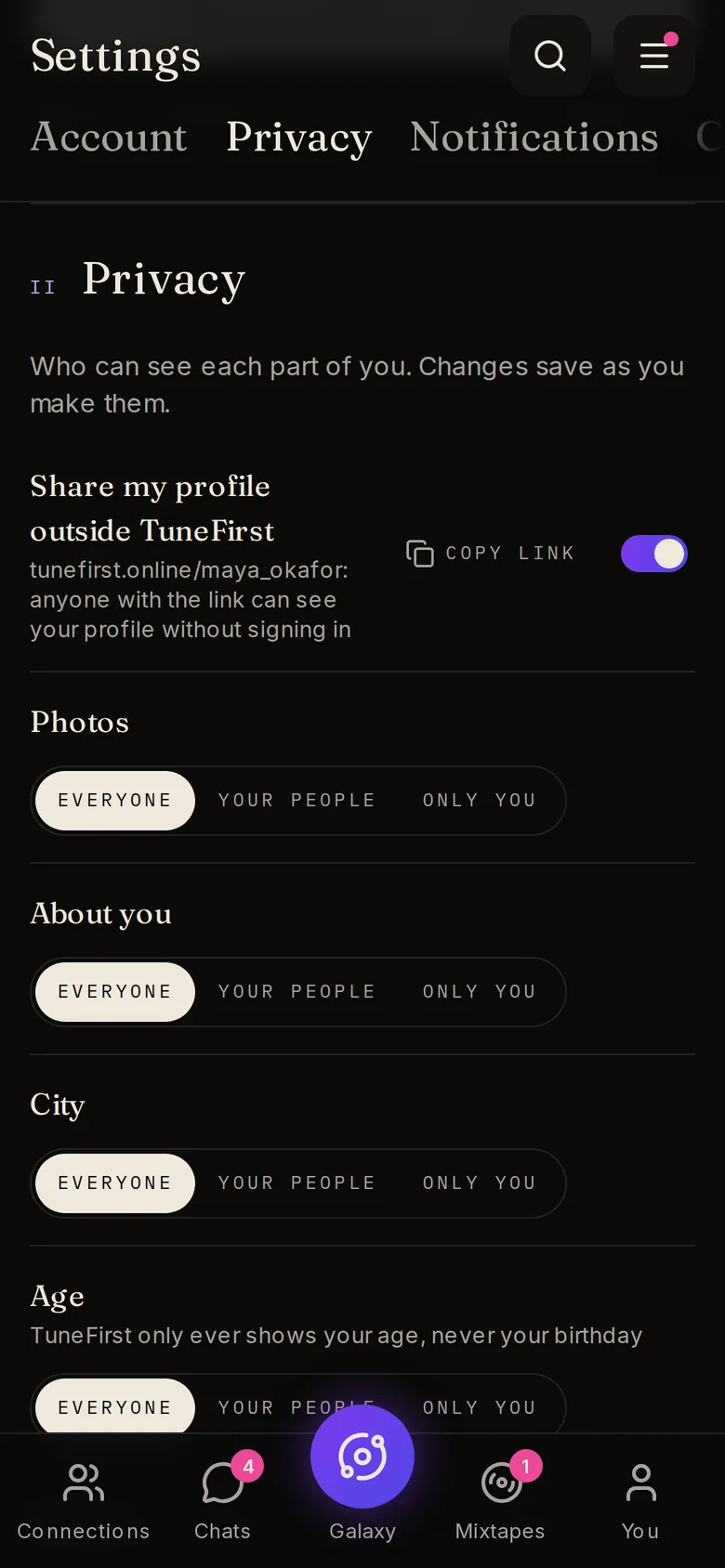
You choose what each part of your profile shows, and to whom.
- 01
Field by field
Photos and albums, about you, city, age, gender, what you are looking for, music collection, stories, connections, the shows you have been to and are going to, and your reviews: each one is for everyone, for your people, or only you.
- 02
Your age, never your birthday
TuneFirst only ever shows your age.
- 03
See it as a visitor
Preview your own profile as a stranger or as one of your people before anyone else does.
- 04
A link to share, if you want
With a username you can turn on a public page at tunefirst.online/your-name. Off means the link shows nothing to people who are not signed in.
Lead with sound.
Build your profile in a few minutes. TuneFirst is free.