Everything here starts with the music you choose.
TuneFirst is a free music social network that runs in your browser. You pick the artists, albums and Tunes that are really yours; TuneFirst finds the people who picked the same ones, then gives you good things to do together: talk, trade Tunes, make a mixtape, go to a show.
Seven chapters, one idea
Every part of TuneFirst answers the same question: does this help two people who love the same music find each other, and then do something together?
- 01Find your peopleGalaxy, profiles, matchingI
- 02Say hello, then talkNotes, Connections, Chats, NotificationsII
- 03Hear what they hearMusic, SearchIII
- 04Make something togetherMixtapes, Reviews, CollectionIV
- 05Go outShowsV
- 06Meet someoneDating, if you want itVI
- 07Your rulesPrivacy, blocking, languagesVII
Find your people
No imported listening history and nothing to swipe. You name the music that matters to you, and the people who named the same things come closer.
- 01
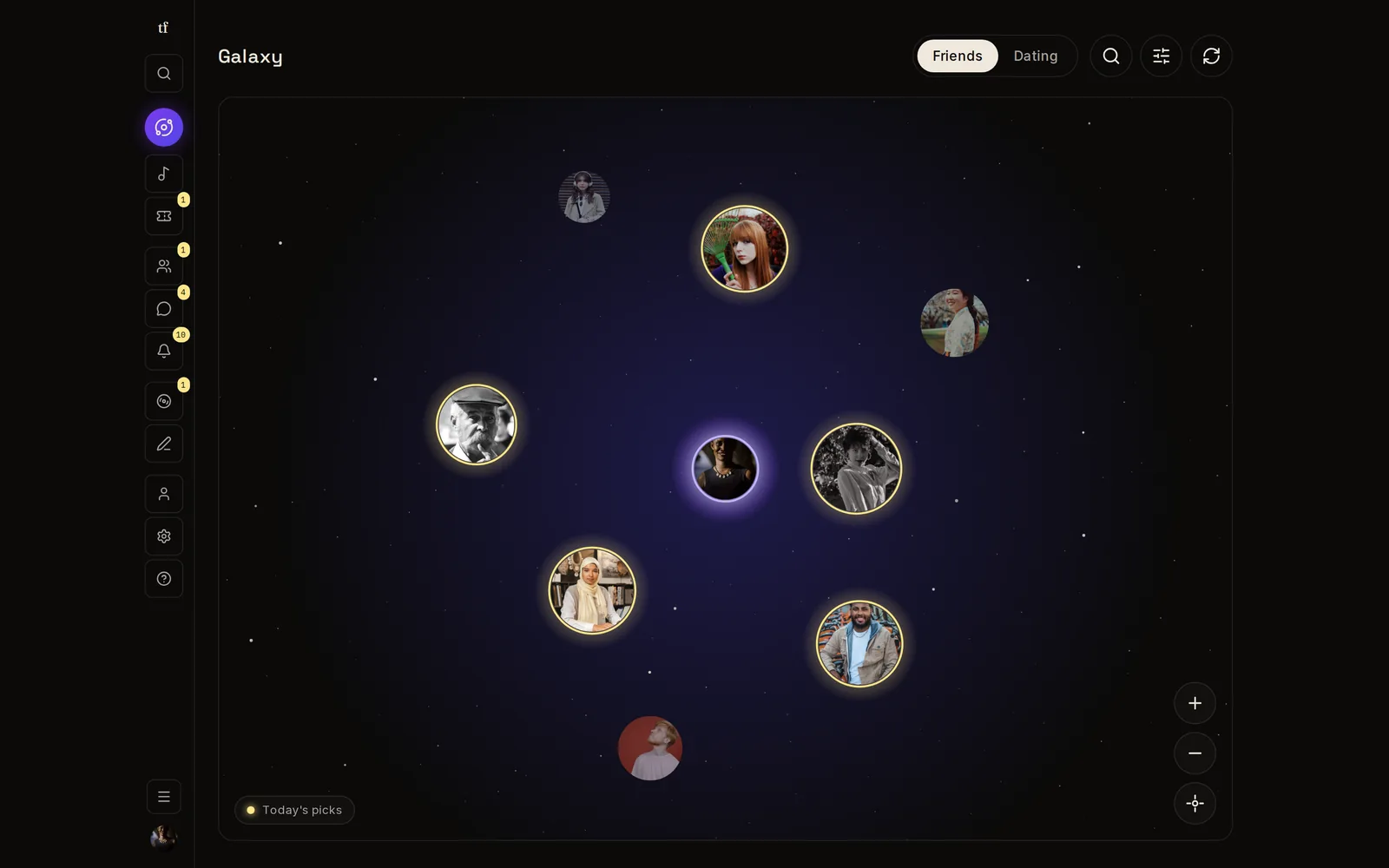
The Galaxy
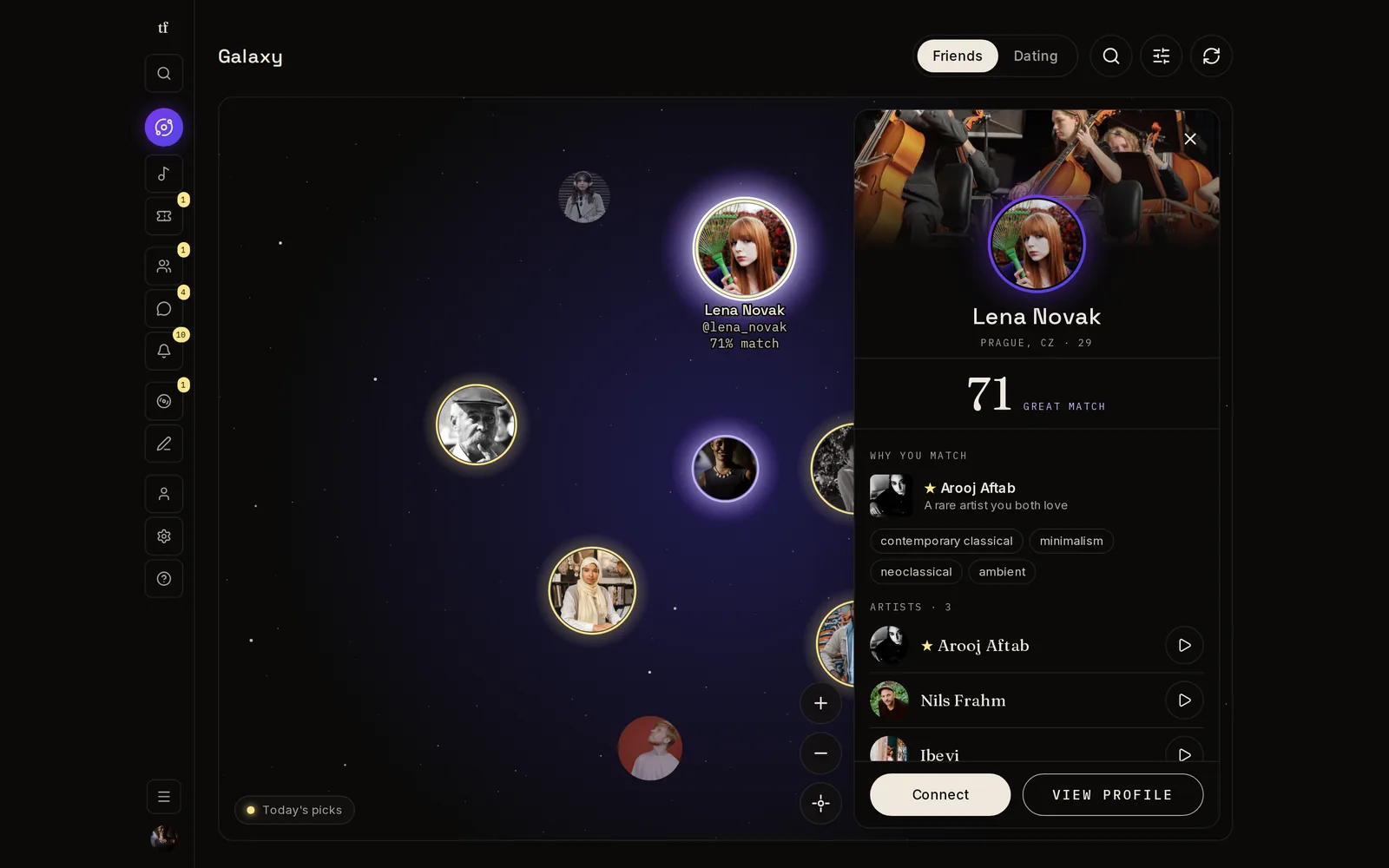
Your matches drawn around you like a night sky. The closer someone sits, the more you share. Select a face to see exactly which artists, albums and Tunes you have in common.
- 02
Rare picks count more
Two people who both love a band almost nobody has heard of have more in common than two people who both like a stadium act. TuneFirst weighs every shared pick by how rare it is.
- 03
A profile that sounds like you
Your Tunes, albums and artists as rows you can play, the stories behind your picks, the shows you went to, your reviews, your mixtapes, photo albums with videos and your links elsewhere, each in its own chapter, in the order you choose.
- 04
Stories in common
Write the story behind a Tune. Someone with a story about the same Tune, album or artist, the same memory or a different one, comes closer, and it counts in your match.
- 05
Something in common, first
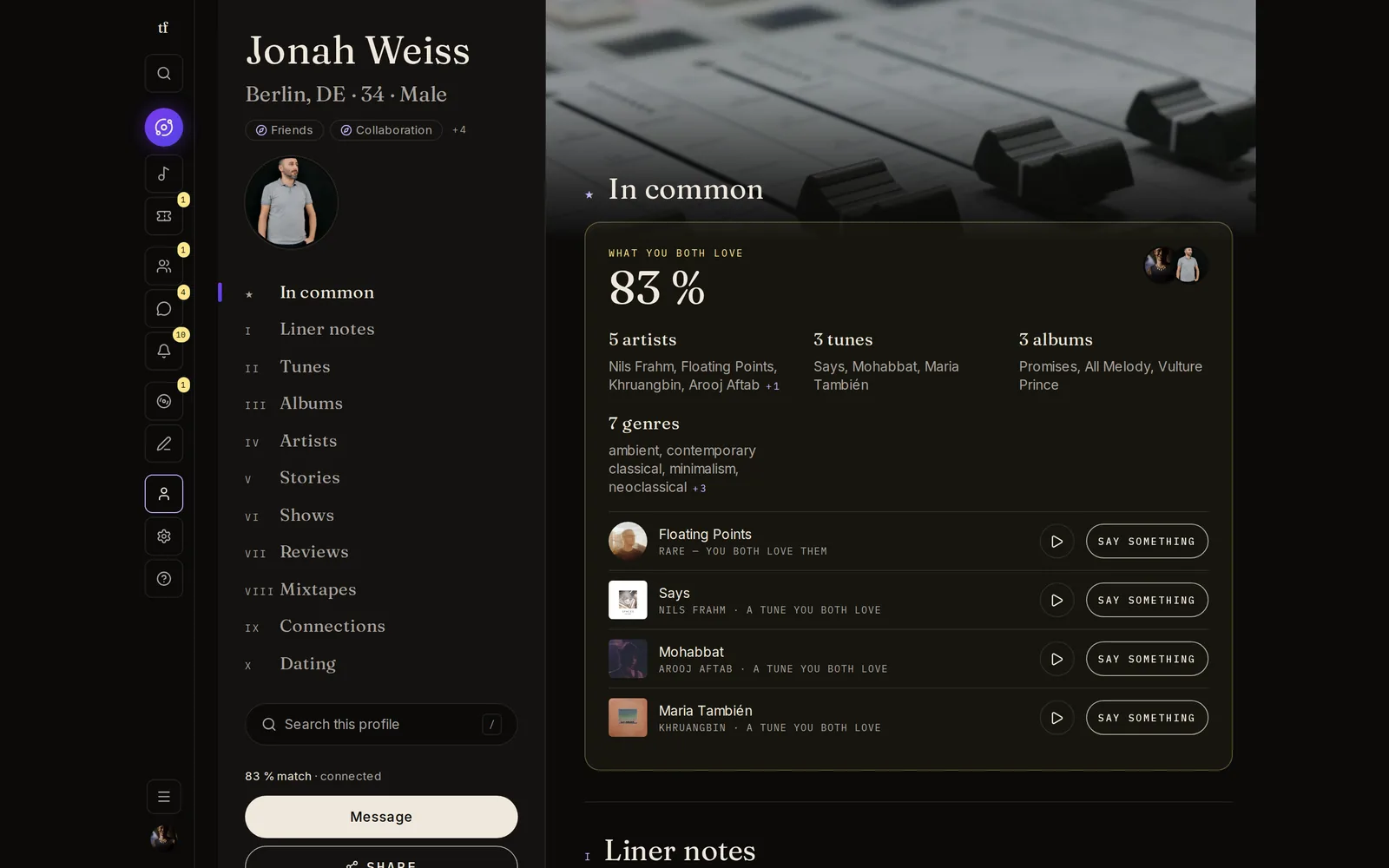
When you visit someone, the first chapter is what the two of you share. You know what to talk about before you say a word.
Say hello, then talk
No cold "hey". You start with a note about something you both love, and the conversation picks up from there.
- 01
Connect with a note
Every request carries a few words and, if you like, a Tune, album, artist or story you share. They can reply, or quietly let it go. Nobody is ever told "no".
- 02
Connections in one place
Who is waiting for you, your people with what you share and your match, the requests you sent, and anyone you have blocked.
- 03
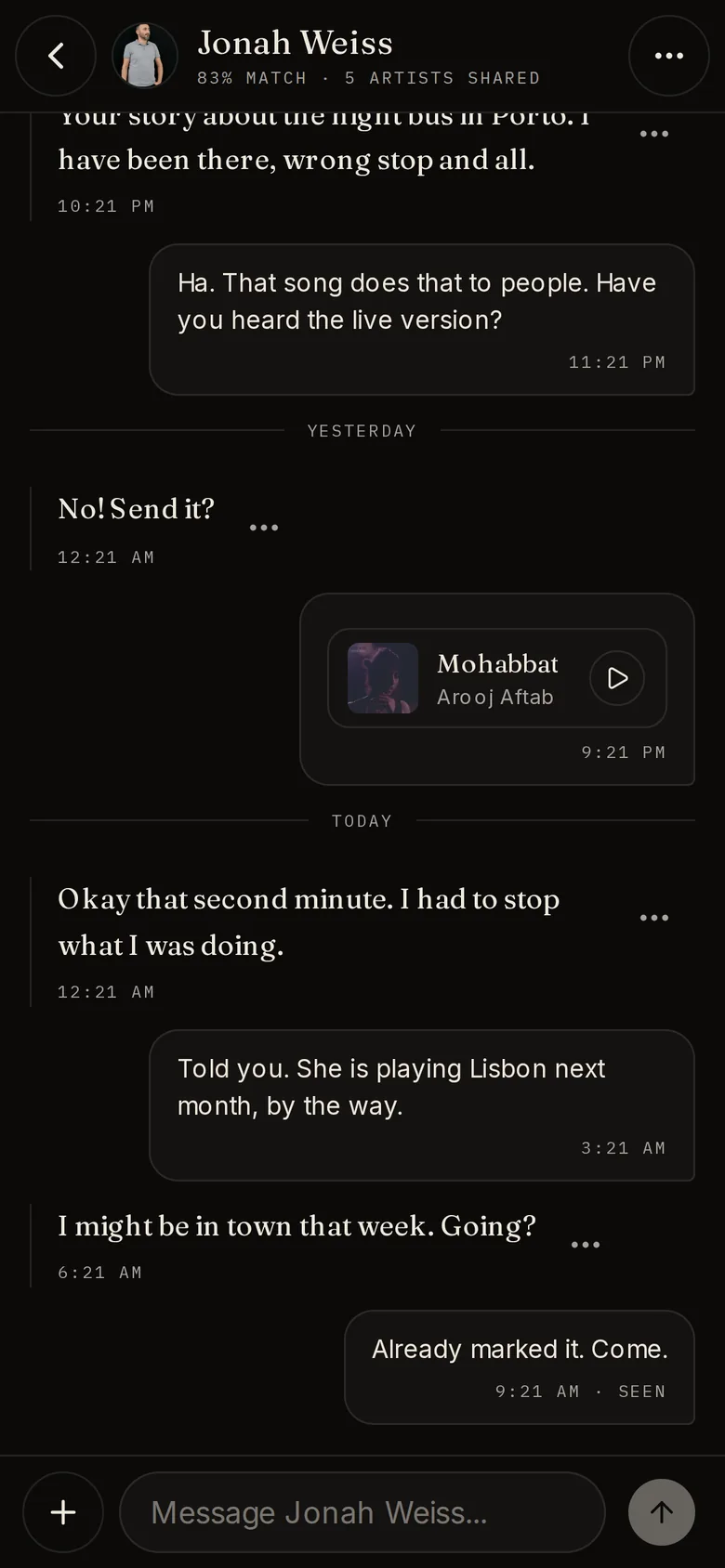
Chats built for music
Send a Tune and it plays right in the conversation. Photos, voice messages, audio files, and a mixtape invitation once you are connected.
- 04
Notifications that stay calm
New things first, then People, Tapes, Chats, and Shows & reviews. A busy chat is one line, not twenty.
Hear what they hear
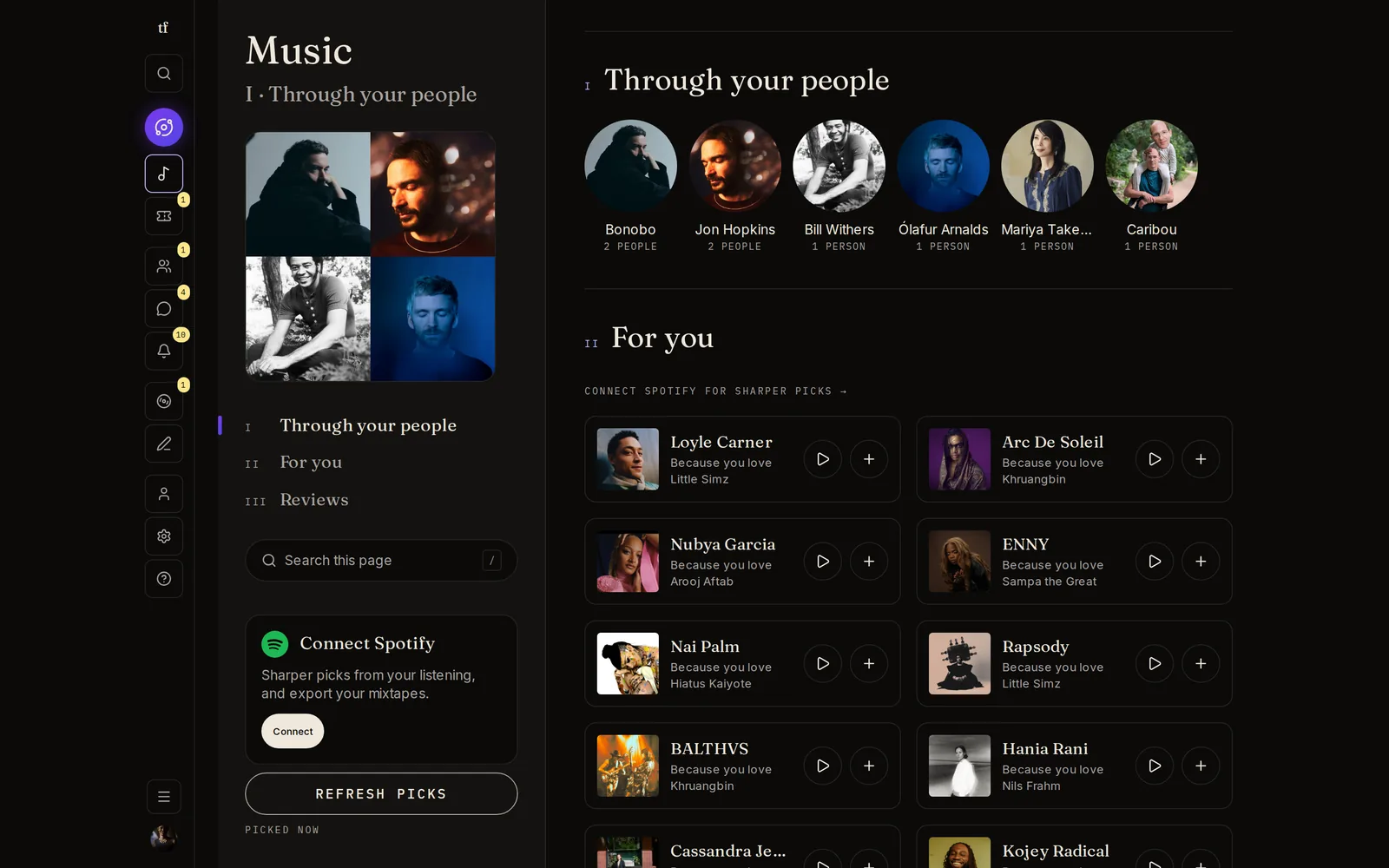
The best recommendation is a person. TuneFirst shows you what your people love that you have not found yet.
- 01
Through your people
Artists from your connections' collections, ranked by how many of them love each one.
- 02
For you
Artists close to what you already love. Connect Spotify and your listening joins in.
- 03
Press play, right there
Tunes and artists play inside the page through Spotify's player. One tap adds them to your collection.
- 04
One search for everything
People, music, reviews, shows and mixtapes from one field, and next to any record, how many people here have it.
Make something together
A playlist is a list. A mixtape is a conversation, one Tune at a time. And a review is your take, out loud.
- 01
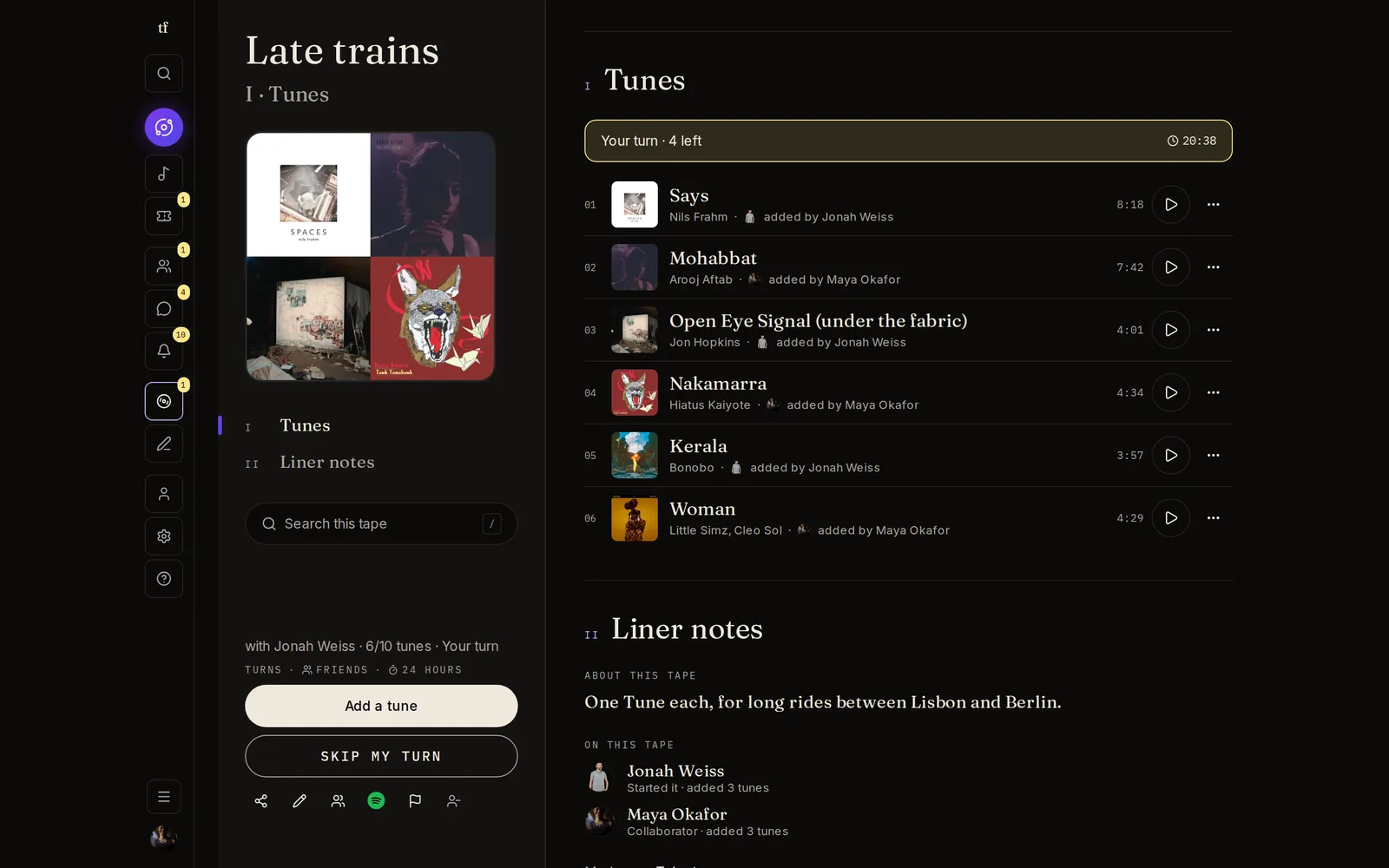
Mixtapes, solo or with a friend
Take turns or add freely. The tape tells you when it is your turn, and its liner notes say what it is about and who added what.
- 02
Finished means finished
Once a shared tape is done, changes are proposed and approved, so it stays the thing you made together.
- 03
Send it to Spotify
Export a tape as a Spotify playlist, or share a public link to a finished tape that anyone can open.
- 04
Reviews with room to write
Rate a Tune, album or artist, write as much as you want, add up to five photos, and choose who can read it.
- 05
Your records, on a shelf
Bring in your vinyl, CDs and tapes from Discogs or a spreadsheet. They stand by artist, letter by letter, with covers: browse a grid or a list, or dig through them crate by crate. Grades are yours to set, and notes, folders and ratings stay only yours.
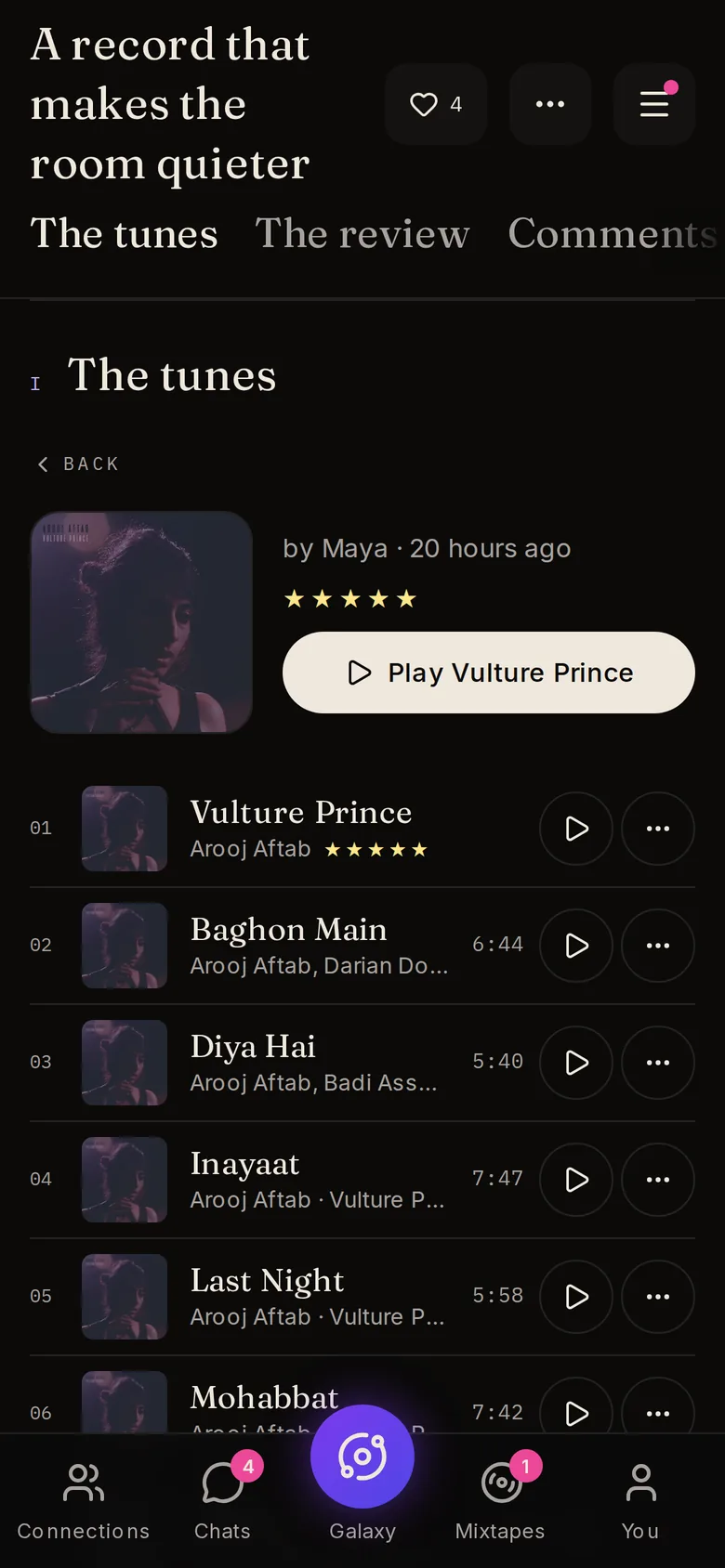
Reviews from people who share your taste are the ones worth reading. That is the whole idea behind the Reviews page: your people first, then the community, then yours.
Go out
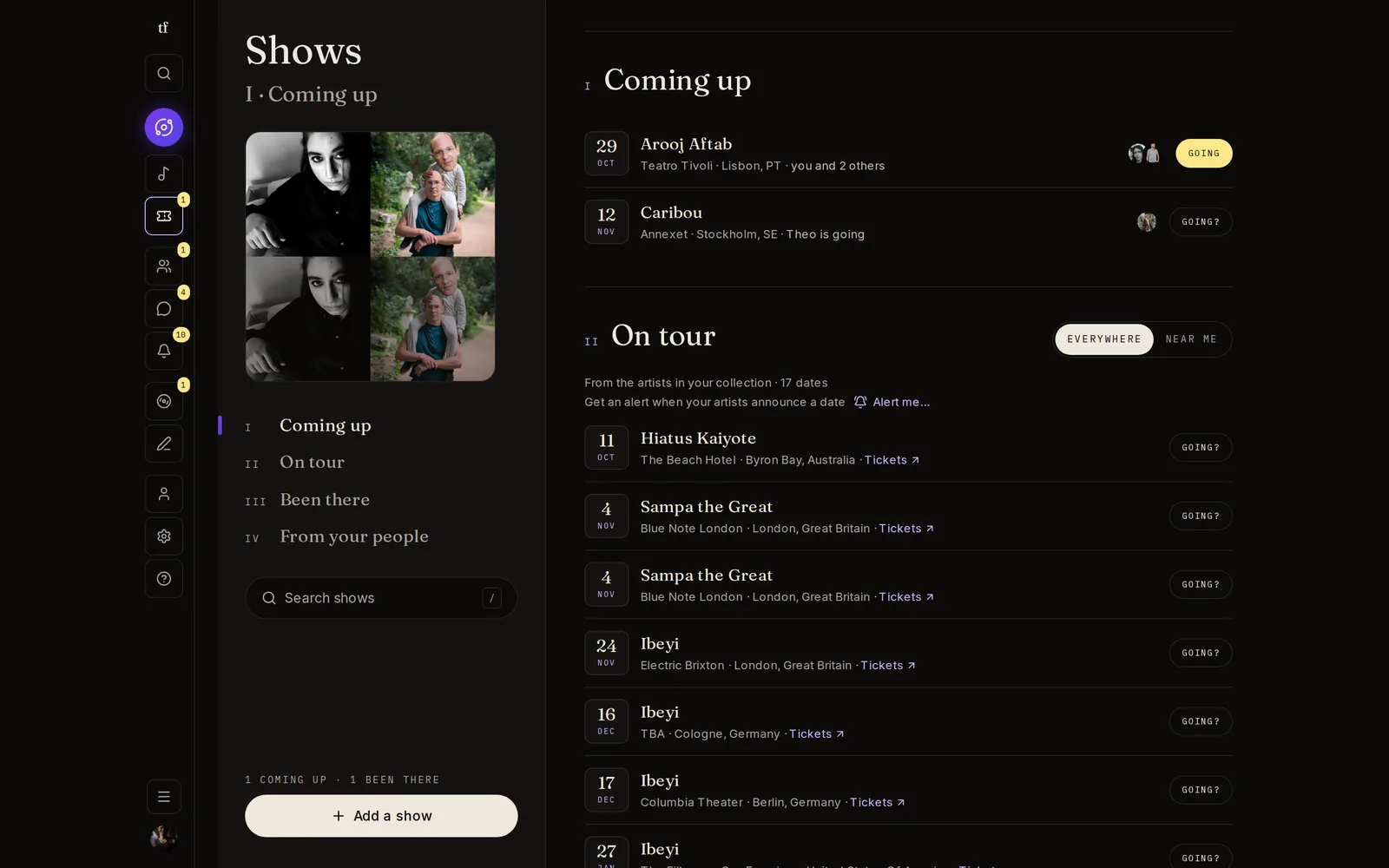
Music is better in a room full of people. Keep the shows you went to, plan the ones coming up, and see who else is going.
- 01
On tour
Tour dates for the artists in your collection, everywhere or just near you.
- 02
Going, in one tap
Mark a date as Going and it lands in Coming up, with the line-up, the place and the ticket link.
- 03
Who's going
See which of your people will be at the same show. The easiest plan you will ever make.
- 04
Been there
Afterwards, add the night: a rating, notes, photos and videos. Your own concert history, on one shelf.
Meet someone Optional
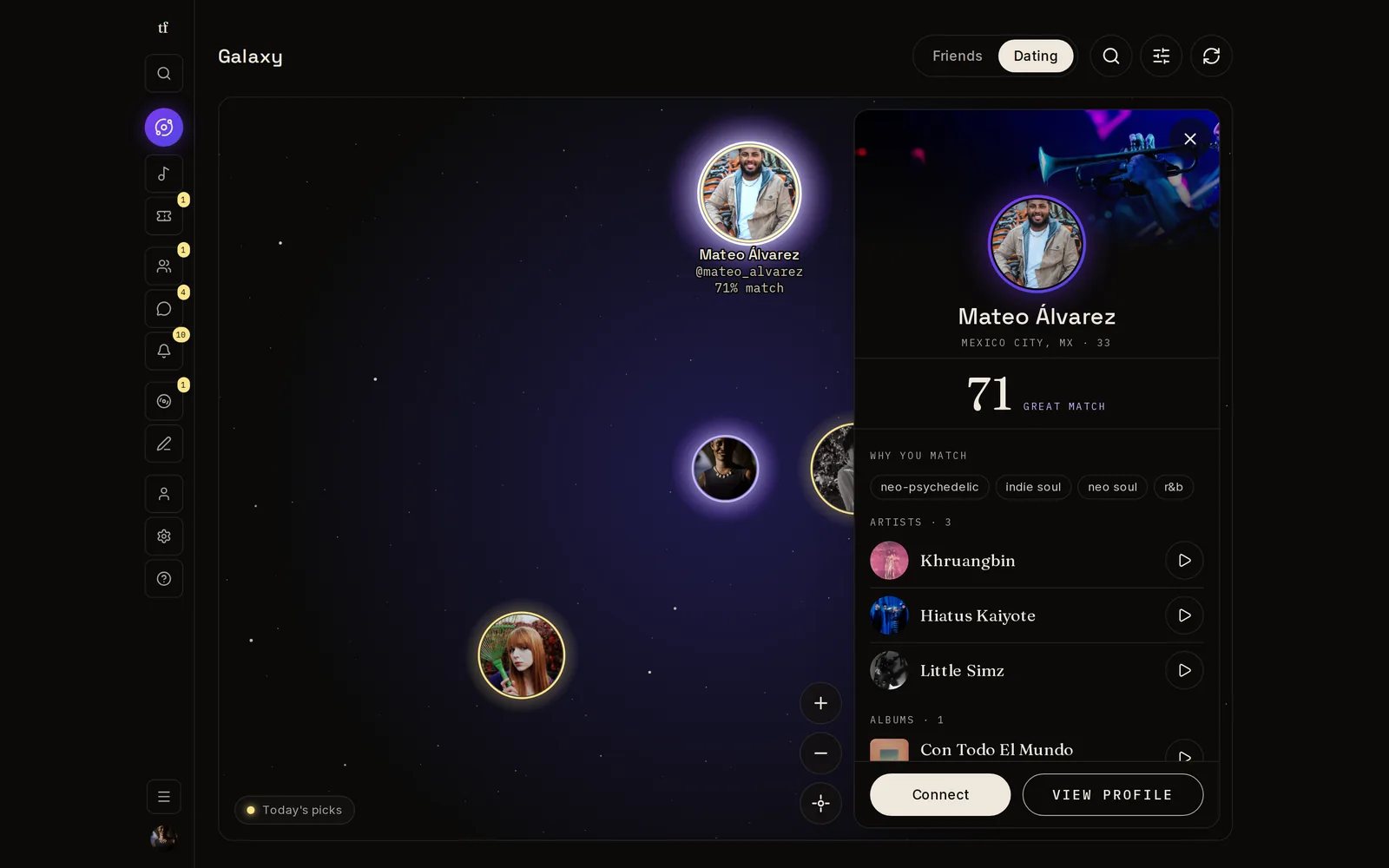
Meet someone through what you both play on repeat. Dating is a mode you switch on, and until you do, nobody sees yours and you see no one's.
- 01
Both ways, or not at all
You only see people who are in dating mode too, and only they see you.
- 02
A profile worth reading
A dating fact sheet on your profile, with what you are looking for and a few words about you. It shows once it is filled in enough to mean something.
- 03
Notes, not swipes
You send a note in your own words about music you share. A few each day, so every one gets read.
- 04
For adults
TuneFirst, dating included, is for people 18 and older.
Your rules
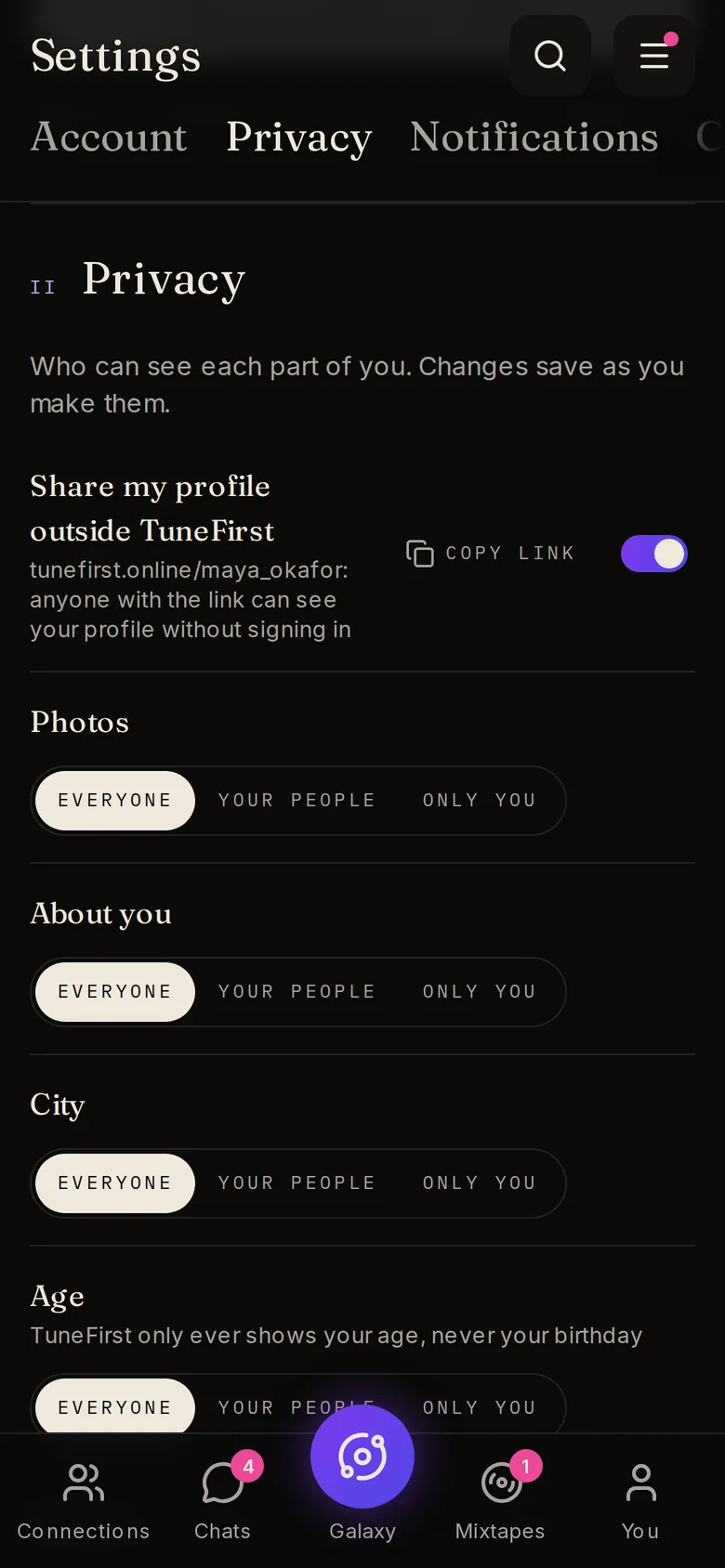
You decide who sees what, piece by piece. We never sell your data or share it with advertisers.
- 01
Field by field
Your city, age, music, stories, shows, record shelf and more can each be for everyone, for your people, or just for you.
- 02
Per post
Every review and show has its own Everyone, Your people or Only you setting.
- 03
Block means gone
Blocking someone removes them from your Galaxy, chats, search and notifications, both ways. Report anything that feels wrong.
- 04
In your language
The whole app, in seven languages:
- English
- Español
- Deutsch
- Français
- Italiano
- 日本語
- 한국어
Why it lives in your browser
A phone app teaches your thumb to flick: swipe, scroll, next. TuneFirst is made to be sat down with, the way you put a record on. There is nothing to swipe, no feed to scroll and nothing built to pull you back. It opens in any browser, on a laptop or on your phone, with nothing to install.
Most music apps connect you to content. TuneFirst connects you to people.
The one rule we build by
Pick your Tunes. Meet your people.
It takes a few minutes to choose the music that is yours. TuneFirst is free.